|
 Configuring the Integrated Postscript / PDF printer Configuring the Integrated Postscript / PDF printer
|

|

|

|
|
Configuring the Integrated Postscript / PDF printer
-
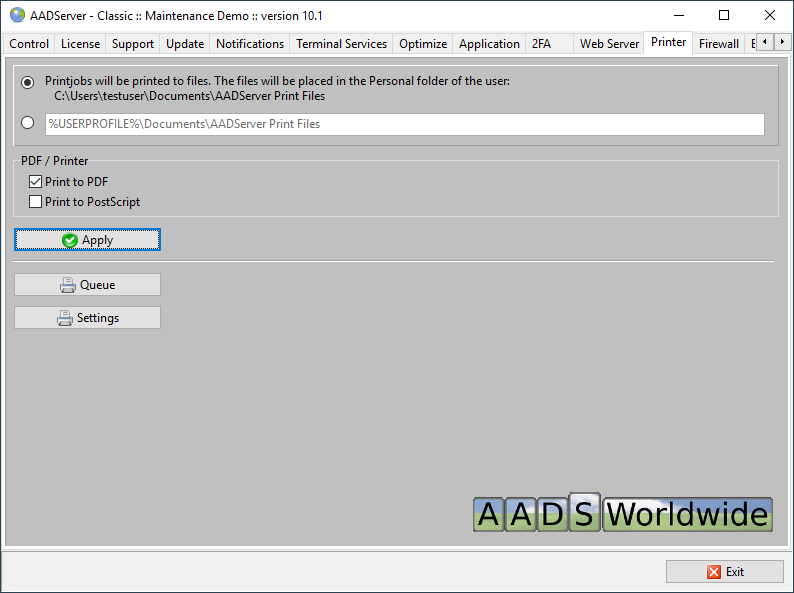
When the PostScript / PDF printer is enabled, automatically an AADS Printer is created.
-
Users can select and use the printer.
-
Result will be a printed Postscript (PS) or PDF file in the Personal Folder of the user.
-
When either, or both PostScript and / or PDF is selected, the AADS Printer will be available.
-
When neither PostScript or PDF is selected, the AADS Printer will be removed from the Server.
-
The location of where the PDF / Postscript files are placed, can be changed.
If this is changed, for instance, on a different server, please note that the user must have create and write rights on this different server.
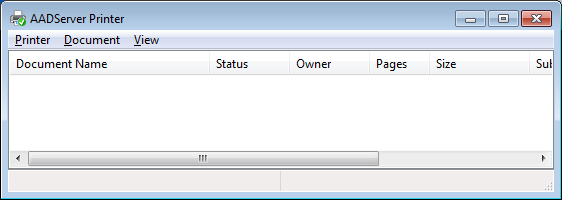
Queue
The printer queue can be viewed in the usual way:
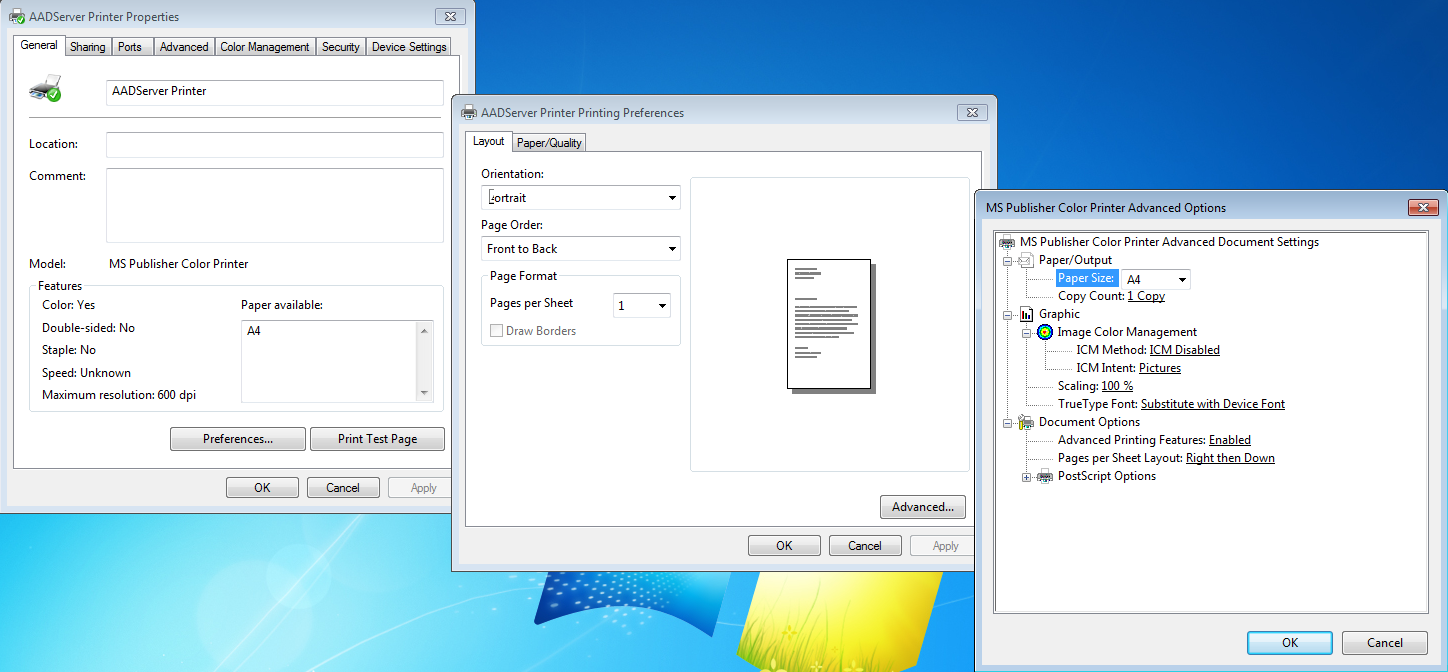
Settings
Default printer settings like papersize can be changed:
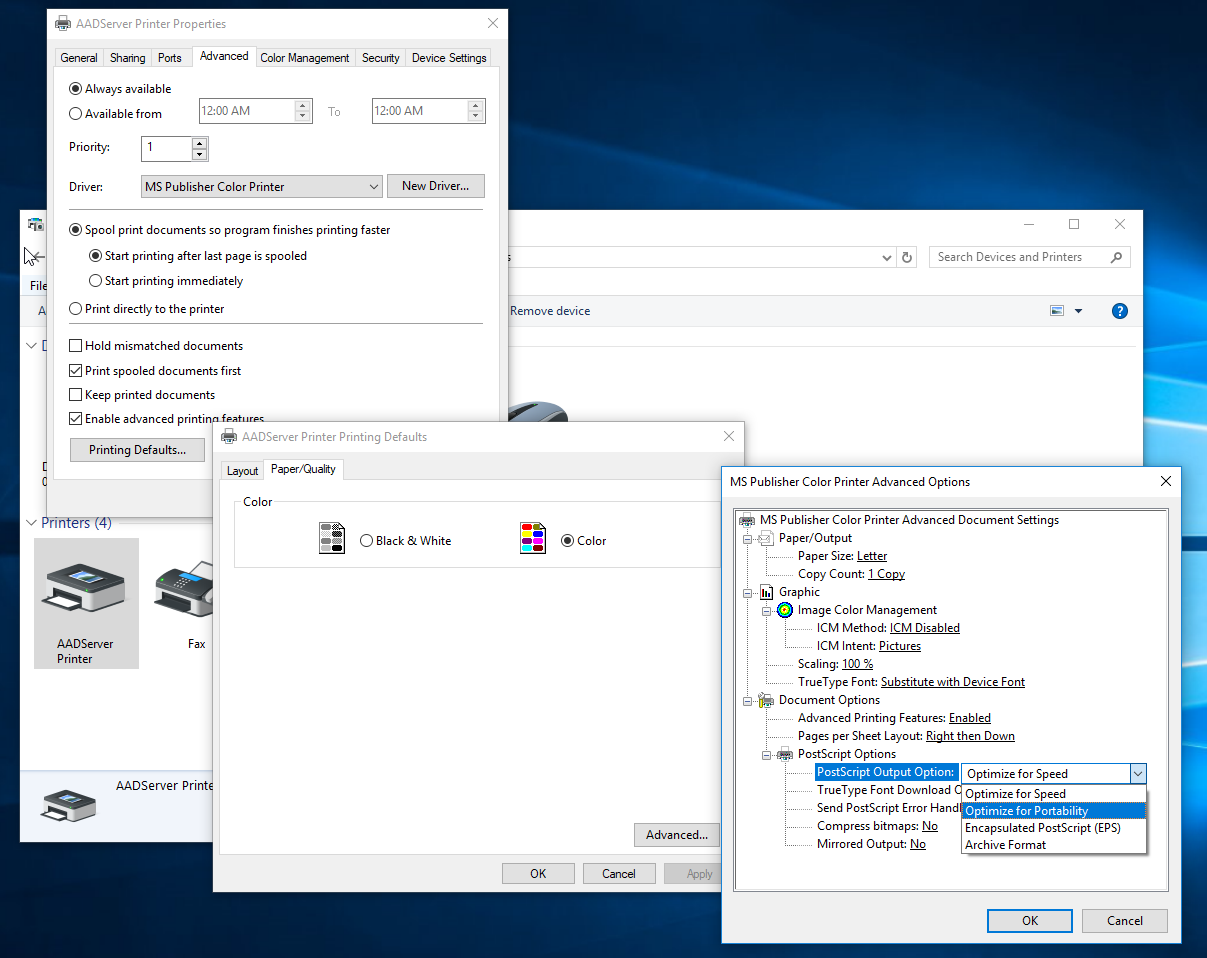
Postscript Output Options
Depending on your Word Processor (MS-Word, Libre Office, Office software, etc), it might be required to change the following setting:
-
AADSServer printer, right click mouse, properties
-
Advanced tabpage
-
Printing Defaults... button
-
Advanced... button
-
Change the Postscript Output Option to Optimize for Portability.
GhostScript versions
AADS includes a version of GhostScript for generating the Postscrpt or PDF documents.
It is possible to install a different version of GhostScript, and instruct AADServer to use this different version of GhostScript.
GhostScript installers can be downloaded from:
https://www.ghostscript.com/
When AADS Control and Maintenance detects versions of GhostScript, it will show them:
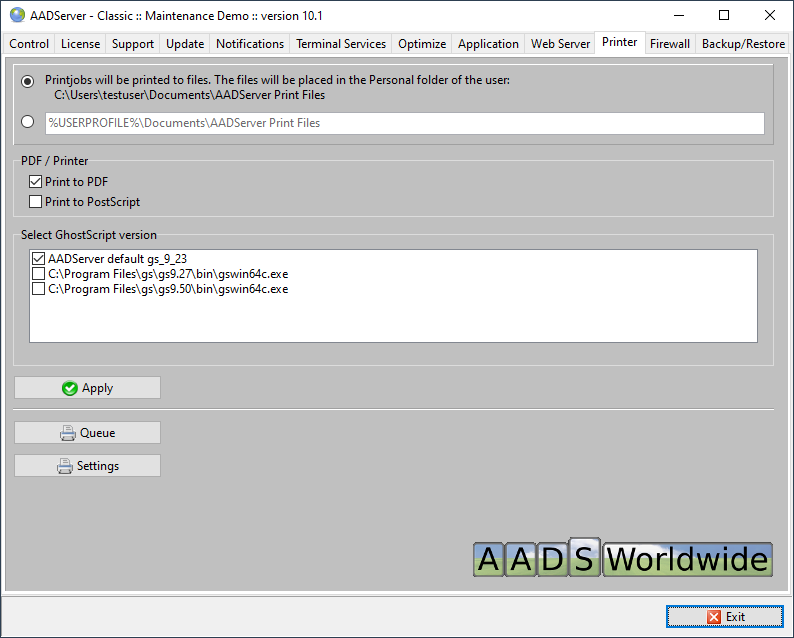
- Select 1 of the GhostScript versions as installed and available.
|
© 2012-2024 AADS WorldWide. Terminal Server | Application Server | Remote Desktop solutions | Firewall
|
|
|
|
|